
Guide
Microsoft 365 outage: an emergency plan for Luxembourg SMEs
Check Microsoft's status sources, switch to a prepared channel, keep working offline in Outlook and OneDrive, leave the MX record alone and report to the ILR only for significant NIS2 incidents.
Key takeaways
- Service health in the admin center shows whether the fault lies with Microsoft or with you; without access, use the status page status.cloud.microsoft.
- A fallback channel only helps if its sign-in does not depend on your own Microsoft 365 account, and the contact list must be available offline.
- Classic Outlook keeps working offline with Cached Exchange Mode, the new Outlook stores 30 days of mail locally by default, and OneDrive files are only reliably offline when set to Always keep on this device.
- Changing the MX record on the spot redirects all mail and carries risks for delivery, spam filtering and SPF.
- Under the NIS2 law of 05.05.2026, only essential and important entities must report, and only significant incidents, with an early warning to the ILR within 24 hours.
On this page
- How do I check whether Microsoft 365 is really down?
- What do the Service health statuses mean?
- How do I reach my team and customers when Outlook and Teams are down?
- How do I keep working in Outlook offline?
- How do I keep OneDrive and SharePoint files available?
- Should I change my MX record during an outage?
- What belongs in the review afterwards?
- When do NIS2 obligations apply in Luxembourg?
- Is a Microsoft 365 outage a reportable incident?
- Checklist: the emergency plan on one page
- What is still open?
- Which sources does this guide use?
When Microsoft 365 goes down, check Microsoft's official status sources first, reach your team and customers through a channel outside Microsoft 365 that you agreed on in advance, and keep working from mail and files stored on your devices.
Do not change your domain's MX record on the spot, and only report to the ILR if your business falls under Luxembourg's NIS2 law and the outage is a significant incident.
This guide is a plan to prepare in advance, not a report on a particular outage. What happened to Exchange Online and Outlook on 12 and 13.11.2026 is covered in our news piece on the Microsoft 365 outage. We checked everything on 13.11.2026 against Microsoft Learn, Microsoft's support pages, the law on Legilux and pages from the ILR, CIRCL and GOVCERT.LU.
How do I check whether Microsoft 365 is really down?
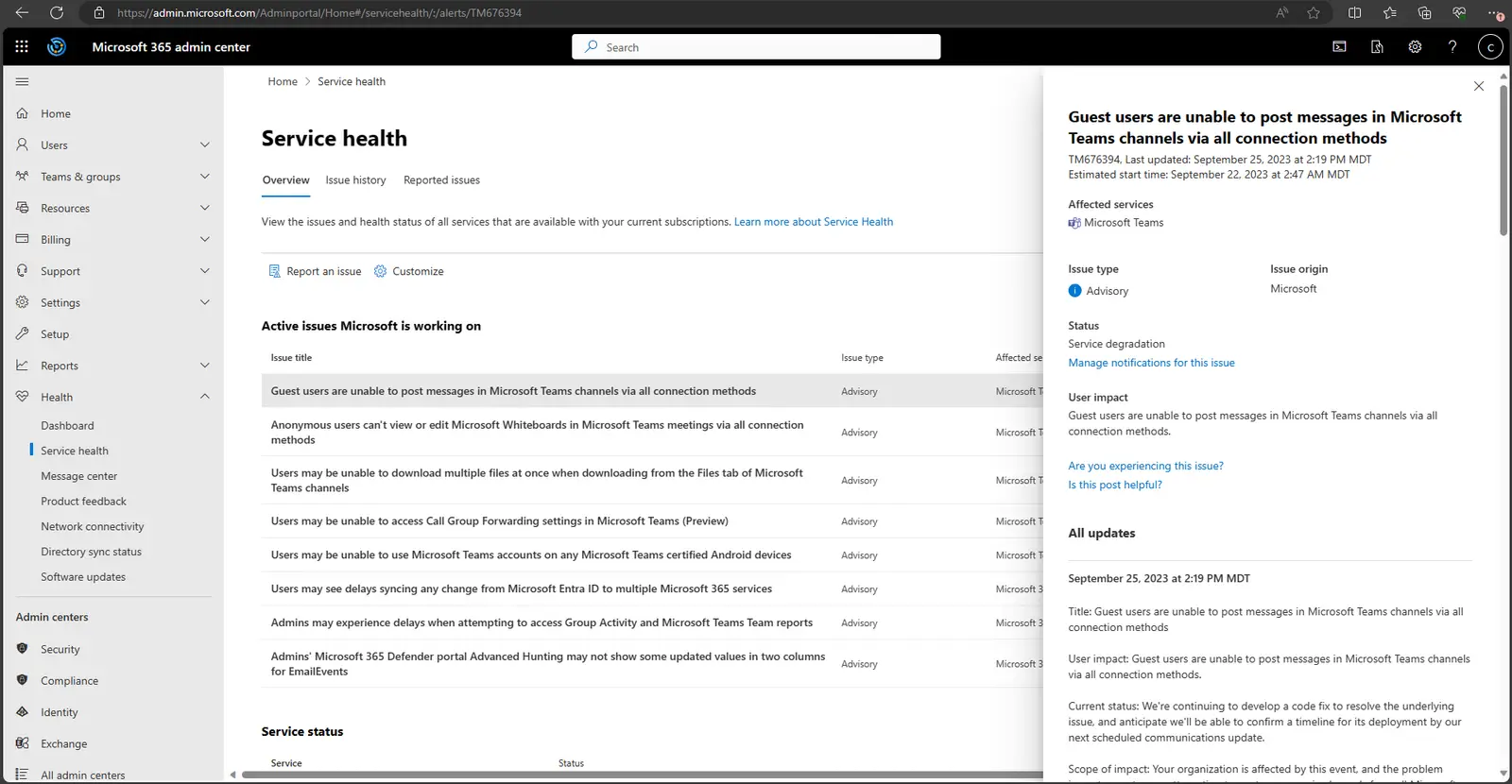
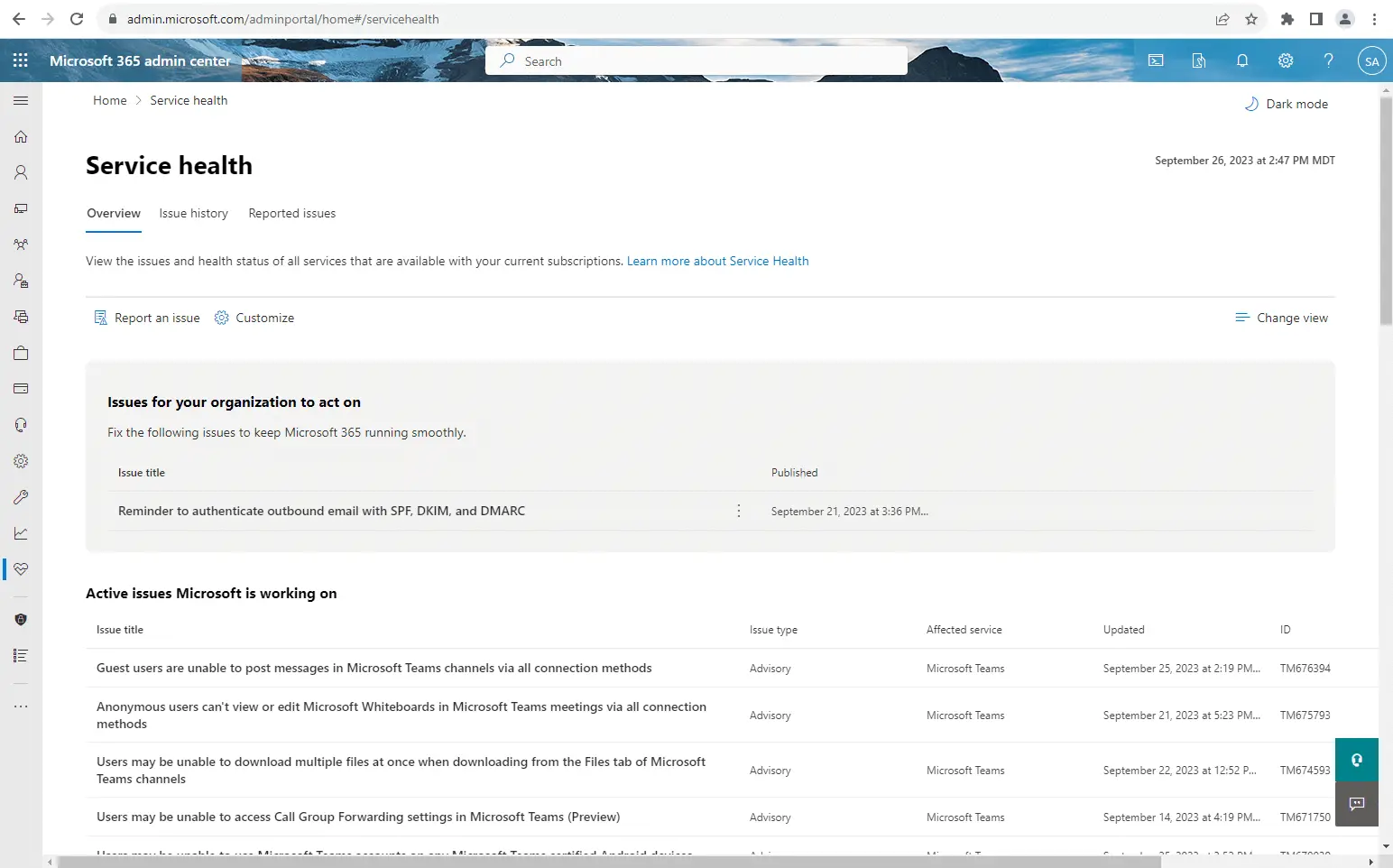
Start with the Service health page in the Microsoft 365 admin center, under Health > Service health. Microsoft Learn tells admins to check there whether a problem is a known issue with a fix in progress before calling support or troubleshooting. Admins can open the page, including people with the Service Support admin and Helpdesk admin roles.
The page splits issues in two. Issues for your organization to act on lists problems detected in your own environment that you need to fix. Active issues Microsoft is working on lists incidents and advisories on Microsoft's side. Each issue's detail view shows the Issue origin, meaning whether the problem started at Microsoft or in your environment. If the fault sits with Microsoft, local troubleshooting will not help.
If you cannot sign in to the admin center at all, Microsoft points to its public service status page and to the @MSFT365Status account on X. If your problem is not listed anywhere, use Report an issue.
Set up two things before you need them:
- Email notifications: under Customize > Email, each admin can enter up to two addresses for new incidents and status changes. We suggest at least one address outside Microsoft 365, because a message to your own mailbox may not arrive while Exchange Online is down.
- Microsoft 365 Admin app: according to Microsoft, the mobile app shows Service health and Message center with push notifications.
Planned maintenance and announced changes are not in Service health but in the Message center, under Health > Message center.
What do the Service health statuses mean?
Microsoft uses two kinds of entries. An incident means a service or a major function is unavailable, for example sending and receiving email. An advisory affects only some users. The status tells you when to switch to your plan:
| Status | What Microsoft says it means | What you do |
|---|---|---|
| Investigating | Microsoft is looking into a potential issue | Warn the team, keep watching |
| Service degradation | Confirmed issue, service slower or partly broken | Announce the fallback channel |
| Service interruption | Users cannot reach the service, consistently | Start the plan, inform customers |
| Restoring service | Cause found, recovery under way | Prepare to switch back |
| Extended recovery | Fix in progress but not yet reaching every system | Watch for delayed mail |
| Service restored | Fix confirmed | Start the review |
| Post-incident report published | Report with root cause and next steps available | Read and file the report |
Weekly, Thursday morning, Central European Time.
The Thinking briefing
One email a week: what changed in European business software, which prices moved, and which comparison we published. No sales mail.
How do I reach my team and customers when Outlook and Teams are down?
Pick the fallback channel before you need it. When the tenant fails, mail, calendar and often Teams go down together, and a tool you sign in to with your Microsoft account may fail with them. Check that your second channel works without Microsoft 365. If you are weighing a second chat tool anyway, our Slack vs Microsoft Teams comparison sets out the differences.
In its 6 mesures de sécurité fondamentales, the ILR recommends, among other things, a list of key contacts and a tested continuity plan. For an SME that means:
- Contact list offline: mobile numbers for staff, key customers and suppliers, your IT provider and whoever manages your domain. Printed or stored locally, not only in the Outlook address book.
- Roles: who declares that the plan is in force, who informs customers, who talks to the IT provider.
- Message template: a short note telling customers that email may arrive late and how to reach you meanwhile.
- Log: for security incidents, CIRCL advises recording every action with who, when, why and the outcome, always with the time zone. It helps with a plain outage too.
How do I keep working in Outlook offline?
That depends on which Outlook you use.
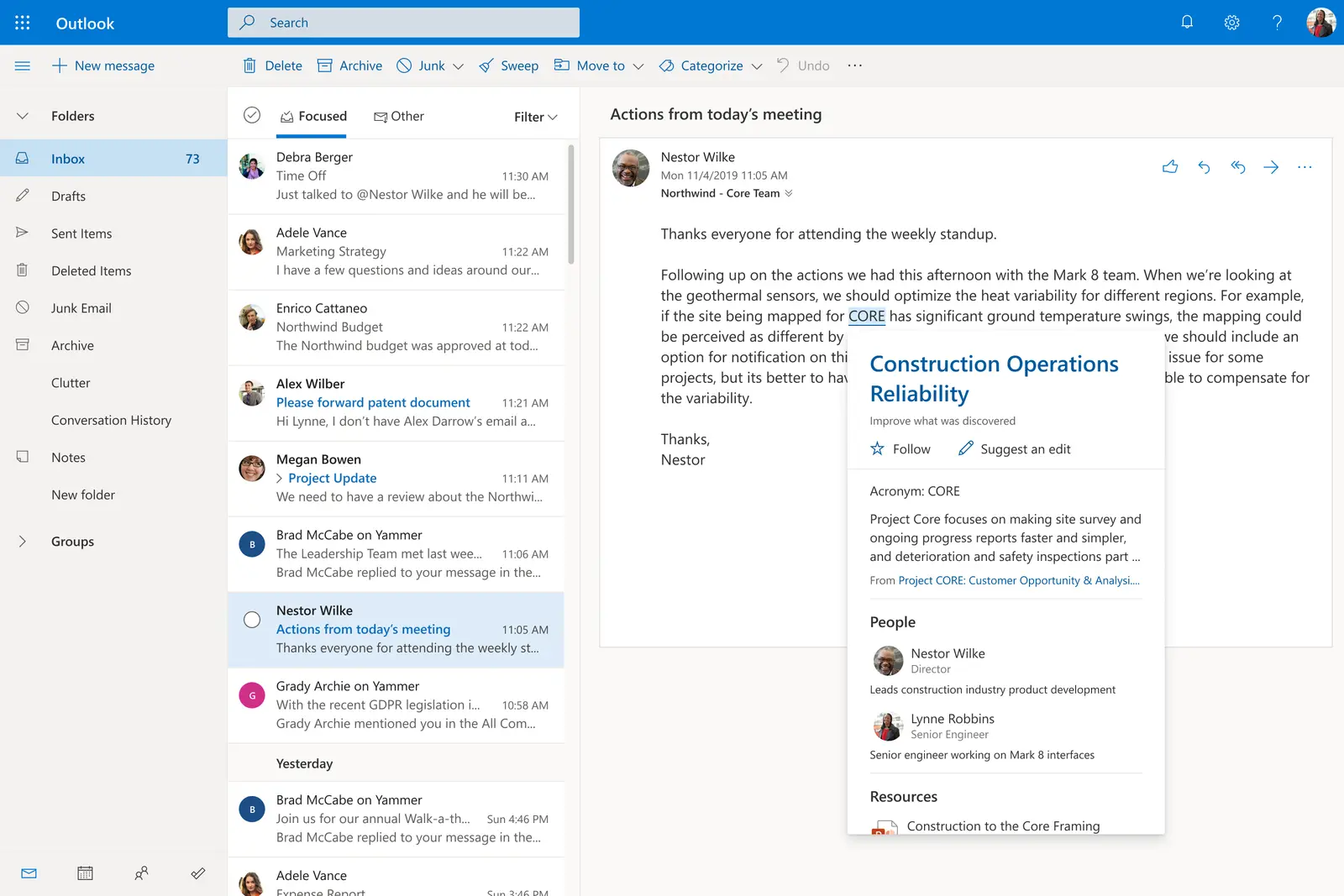
Classic Outlook for Windows uses Cached Exchange Mode. According to Microsoft Learn, it keeps a copy of the mailbox and the Offline Address Book on the computer, it is the default, and Microsoft recommends always using it with a Microsoft 365 account. Without a connection you keep working with the last synchronised state, and mail written offline is sent automatically once the connection returns. Microsoft Support shows the setting under File > Account Settings > Account Settings > Change, in the Offline Settings section. By default 12 months of mail are kept locally, and a slider lets you choose more or less.
Some things still need the server in Cached Exchange Mode: free/busy information, setting or changing an Out of Office message, editing rules, MailTips and shared folders that were not made available offline.
The new Outlook for Windows has no Cached Exchange Mode. It has its own offline settings under Settings > General > Offline. According to Microsoft, offline access is on by default and saves 30 days of mail, with a choice of 7, 30, 90 or 180 days. Offline you can read, reply, draft, send to the Outbox, search and view your calendar and contacts. Shared folders, the full global address list and add-ins, among others, are not available offline.
How do I keep OneDrive and SharePoint files available?
With OneDrive Files On-Demand, not every file you see actually sits on the device. According to Microsoft Support, Files On-Demand is on by default from OneDrive build 23.066. Files with a blue cloud icon are online-only and cannot be opened without an internet connection. A file you have opened becomes locally available, but Storage Sense can turn it back into an online-only file. Only files and folders set to Always keep on this device, shown with a green circle and white check mark, are reliably there offline. This also applies to synced SharePoint team sites.
For your plan, mark the folders the business cannot run without as always available, for example current jobs, quotes, price lists and the emergency plan itself. New files in a folder marked this way are downloaded too. Admins can set the state by script, according to Microsoft Learn: attrib +p makes a file always available.
Should I change my MX record during an outage?
Usually not, and never on the spur of the moment. The MX record tells other mail servers where to deliver mail for your domain, with Microsoft 365 to the Exchange Online Protection mail servers. Microsoft Learn notes that once you change the MX record, all mail for that domain goes to the new destination. You can have several MX records, but Microsoft warns this can cause delivery problems and that a single record pointing to one mail system avoids many of them. Microsoft also recommends pointing the MX record to Microsoft 365, because spam filtering is less effective otherwise.
Switching during an outage carries several risks:
- The target must be ready: the other system needs mailboxes for every address and must accept mail for your domain, or messages bounce back to senders.
- Delay both ways: DNS records have a time to live (TTL), and Microsoft's example uses one hour. A change does not take effect at once, and neither does switching back.
- Split mail: after recovery, mail sits in two systems.
- Sending and SPF: sending through another system needs a matching SPF record. A domain can only have one SPF record, and Microsoft says several records invalidate all of them. DKIM and DMARC must fit as well.
A backup mail system only makes sense if it is set up, tested and agreed with your IT provider beforehand; we deliberately give no switching instructions. How long sending servers hold a message and retry delivery is up to each operator; Microsoft Learn gives no general period.
What belongs in the review afterwards?
- Save the record: Service health shows resolved issues for only 7 or 30 days. Note the issue ID, times and services.
- Read the post-incident report: once the status reads Post-incident report published, a report with root cause and next steps is available.
- Check mailboxes: were messages in the Outbox really sent? Microsoft Support notes that deleted items can reappear after an offline period when server and device took conflicting actions.
- Update and rehearse the plan: what was missing, who could not be reached, which files were online-only? The ILR recommends testing backups regularly and testing the continuity plan.
- List dependencies: which processes rely on Microsoft 365, such as scanners that send by email or sign-ins to other services? The ILR has published a template for listing dependencies on direct suppliers and service providers for essential entities, useful as a framework for smaller firms too.
When do NIS2 obligations apply in Luxembourg?
Luxembourg transposed the NIS2 directive with the law of 05.05.2026, published in Mémorial A No. 225 on 06.05.2026. According to the ILR, it entered into force on 10.05.2026.
Who is covered? Under Article 1, the law applies to entities of a type listed in Annex I or II that are at least medium-sized. The ILR explains this as at least 50 staff, or annual turnover or balance sheet above 10 million EUR. Annex I lists sectors such as energy, transport, banking, health, water, digital infrastructure, managed IT services and public administration; Annex II includes postal services, waste, chemicals, food, parts of manufacturing, online marketplaces and research. Some entities, such as public communications network providers or DNS services, are covered whatever their size. A small business outside these sectors is therefore usually not covered.
Essential or important? Under Article 11, essential entities are mainly large companies in Annex I sectors, and other covered entities are important. According to the ILR FAQ, the security duties are the same; only supervision is stricter for essential entities. The ILR's simulator shows whether you are covered, and the ILR asked covered entities to register by 10.07.2026.
Who supervises? Under Article 3, the ILR, and the CSSF for banking and financial market infrastructures. Under Article 7, GOVCERT.LU is the incident response team (CSIRT) for the state and critical entities, CIRCL for everyone else.
What does the law require? Article 12 requires, among other measures, business continuity with backup management, disaster recovery and crisis management, supply chain security covering direct service providers, and secured emergency communications where needed. Under Article 13, management must approve these measures and oversee them.
Is a Microsoft 365 outage a reportable incident?
Possibly. Under Article 2, an incident is an event that compromises, among other things, the availability of data or services. The ILR stresses that the notion is deliberately broad and covers technical failures, not only attacks. Essential and important entities only have to report significant incidents, though. Under Article 14(3), an incident is significant if it has caused or can cause severe operational disruption or financial loss, or if it causes considerable damage to others. Whether a cloud provider's outage crosses that line for your business depends on what it did to your own services.
Deadlines for significant incidents under Article 14(4):
| Deadline | What | To whom |
|---|---|---|
| 24 hours after becoming aware | Early warning | ILR, CSSF for banks |
| 72 hours after becoming aware | Notification with initial assessment | ILR or CSSF |
| On request | Intermediate report | Authority or CSIRT |
| 1 month after the notification | Final report with cause and measures | ILR or CSSF |
The ILR says the early warning can be sent even when the impact is not yet clear, and answers questions at incident_notification(at)ilr.lu. Where relevant, entities must also tell the recipients of their services about significant incidents. Businesses outside the law can notify the ILR voluntarily under Article 20, without taking on extra obligations as a result.
If you suspect an attack on your own account rather than a Microsoft outage, businesses can contact CIRCL (info@circl.lu, +352 247 88444); the state and critical entities contact GOVCERT.LU.
Checklist: the emergency plan on one page
- Who can see Service health, and does at least one notification go to an address outside Microsoft 365?
- Is there a fallback channel whose sign-in does not depend on Microsoft 365?
- Are the contact list, roles and customer message ready offline?
- Is Cached Exchange Mode, or offline access in the new Outlook, turned on?
- Are key OneDrive and SharePoint folders set to Always keep on this device?
- Have MX and backup mail questions been settled with your IT provider before they become urgent?
- Has your NIS2 status been checked, and do you know how to notify the ILR?
What is still open?
- We found no ILR criteria on the pages we checked on 13.11.2026 for when a cloud provider's outage counts as a significant incident for its customers.
- This guide is not legal or IT advice.
Which sources does this guide use?
All accessed on 13.11.2026.
- Microsoft Learn: Service health (updated 09.02.2026), Message center, Cached Exchange Mode, Files On-Demand by script, mail flow, DNS records
- Microsoft: status page; Microsoft Support on Cached Exchange Mode, Outlook offline and OneDrive Files On-Demand
- Legilux: law of 05.05.2026 on cybersecurity, Mémorial A 225 of 06.05.2026
- ILR: La loi NIS 2, press release of 06.07.2026, Notification incident, NIS2 FAQ, 6 mesures de sécurité fondamentales (30.08.2024), Liste des dépendances (03.08.2026)
- CIRCL: Report an Incident; GOVCERT.LU
Questions and answers
Where can I see whether Microsoft 365 is down?
Can I keep working offline during an outage?
Do I have to report a Microsoft 365 outage to the ILR?
Sources
- [1] How to check Microsoft 365 service health (Microsoft Learn, updated 09.02.2026) accessed 2026-11-13
- [2] Microsoft service health status page accessed 2026-11-13
- [3] Prepare for Microsoft 365 updates with Message center (Microsoft Learn) accessed 2026-11-13
- [4] Plan and configure Cached Exchange Mode in Outlook (Microsoft Learn) accessed 2026-11-13
- [5] Turn on Cached Exchange Mode (Microsoft Support) accessed 2026-11-13
- [6] How to work offline in Outlook for Windows (Microsoft Support) accessed 2026-11-13
- [7] Save disk space with OneDrive Files On-Demand for Windows (Microsoft Support) accessed 2026-11-13
- [8] Set Files On-Demand states in Windows (Microsoft Learn) accessed 2026-11-13
- [9] Mail flow best practices for Exchange Online, Microsoft 365, and Office 365 (Microsoft Learn) accessed 2026-11-13
- [10] External Domain Name System records for Microsoft 365 (Microsoft Learn) accessed 2026-11-13
- [11] Loi du 5 mai 2026 concernant des mesures destinées à assurer un niveau élevé de cybersécurité (Mémorial A 225 du 6 mai 2026, Legilux) accessed 2026-11-13
- [12] La loi NIS 2 (ILR) accessed 2026-11-13
- [13] Cybersécurité : l'ILR présente la nouvelle loi NIS 2 (ILR, 06.07.2026) accessed 2026-11-13
- [14] Notification incident (ILR) accessed 2026-11-13
- [15] Questions fréquentes par rapport à NIS2 (ILR) accessed 2026-11-13
- [16] 6 mesures de sécurité fondamentales, v1.1 (ILR, 30.08.2024) accessed 2026-11-13
- [17] Modèle NIS 2, Liste des dépendances (ILR, 03.08.2026) accessed 2026-11-13
- [18] Report an Incident or Vulnerability (CIRCL) accessed 2026-11-13
- [19] GOVCERT.LU accessed 2026-11-13
- [20] MicrosoftDocs/microsoft-365-docs, Legal Notices (GitHub) accessed 2026-11-13